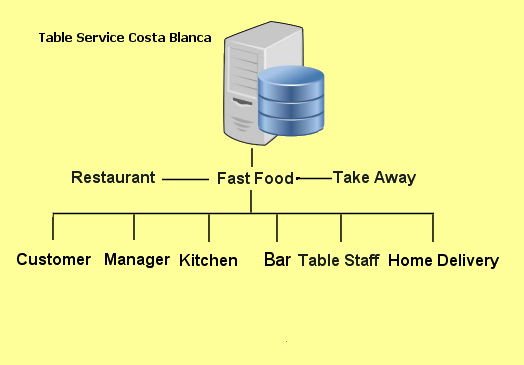
Each type of user has their own screen. There are six entry point screens to choose from depending on your position in the restaurant or a customer. The program adjusts for each type of user. Also, when the customer chooses a venue, (e.g. Restauant Providing Home Delivery, or an establishment that provides fast food) the program the program changes operation to accomodate this.
All restaurant screens require a login, but if you are a customer, you have access to all food and drinks menus, the order system and the billing system, all on three tabs on the customer screen.
The Application:
From the home screen, select "Start" to start the apps. Next select either Restaurant, Hotel or Post a Review. You have now started Table Service for Restaurants. Select whether you are a Customer or a member of the Restaurant Staff.
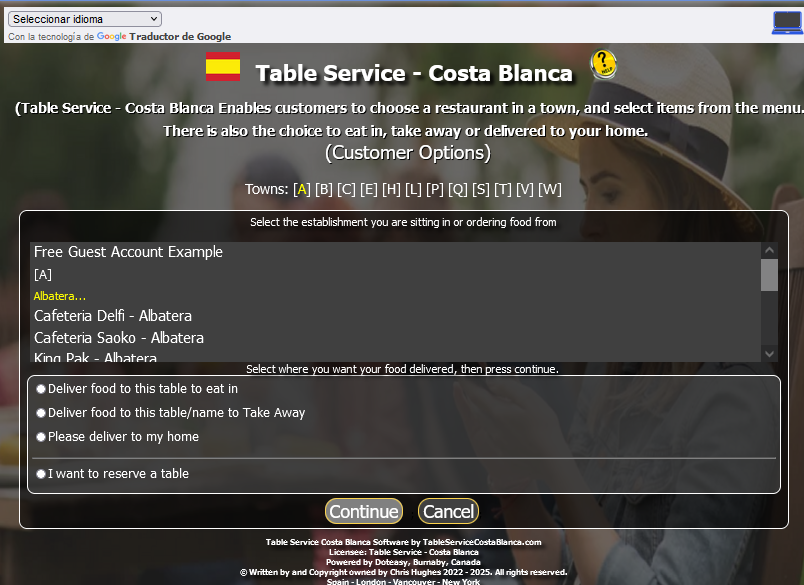
If you choose Customer all you have to do is select the Restaurant from the 1st list then select whether you want to eat in, take away or have your order delivered, from the second list.
If you select restaurant, you need to start either the Free Restaurant app or your own personalised app.
Note: Free or Personalised, you will need to login with your credentials.
 Help
Help